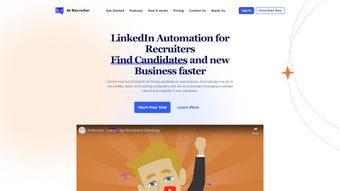

Download AI Recruiter – AI‑powered hiring tool for fast, secure recruitment
AI Recruiter is a subscription‑based web application created to modernize the entire hiring workflow for businesses of any size. Powered by cutting‑edge natural‑language processing and machine‑learning models, the platform automatically parses resumes, matches candidate profiles with detailed job descriptions, and even conducts preliminary interview chats through an intelligent chatbot. Launched on Softonic on August 5 th 2025, the solution runs completely in the browser, meaning there are no heavy client‑side installations or operating‑system restrictions.
Whether you are a startup looking for a cost‑effective way to source talent or an enterprise aiming to cut time‑to‑hire by half, AI Recruiter offers a secure, cloud‑driven environment that receives continuous AI model updates, regular feature enhancements, and 24/7 technical support. The subscription model guarantees that you always work with the latest technology without the hassle of manual patches, while built‑in GDPR‑compliant data handling keeps candidate information safe and private. In short, AI Recruiter is designed to be the all‑in‑one hiring assistant that blends accuracy, speed, and compliance into a single, easy‑to‑use interface.
Core Features of AI Recruiter
- AI‑Driven Resume Parsing: Extracts skills, experience, education, and certifications from PDFs, DOCX, and image files, storing them in a structured, searchable database.
- Smart Job Matching: Semantic analysis ranks candidates against open positions in seconds, highlighting the top 5‑10% of fits with confidence scores.
- Automated Screening Interviews: Chat‑bot conducts role‑specific questions, records responses, and assigns a numeric score that recruiters can review instantly.
- Collaborative Hiring Dashboard: Real‑time commenting, rating, and pipeline management let multiple hiring managers work together without version conflicts.
- Compliance & Data Security: End‑to‑end encryption, GDPR‑ready data handling, role‑based access, and audit logs protect both employer and candidate privacy.
- Continuous Learning Engine: Weekly model retraining incorporates hiring outcomes, gradually improving match accuracy and reducing false positives.
- Integrations & API Access: Native connectors for Workday, Greenhouse, Lever, BambooHR and a RESTful API for custom HRIS or ATS integrations.
- Customizable Reporting: Visual dashboards display time‑to‑fill, source effectiveness, diversity metrics, and ROI calculations.
Installation, Usage & Compatibility Guide
Because AI Recruiter is a pure SaaS solution, there is no traditional software download or installation process. Follow these detailed steps to get up and running quickly, and learn how the platform adapts to any device or browser you prefer.
- Create an Account: Navigate to the official AI Recruiter landing page, click “Start Free Trial,” and complete the short registration form with your business name, email, and phone number. An activation link is sent instantly; click it to verify your account.
- Select a Subscription Plan: After verification, choose between monthly or annual billing. Plans are tiered by the number of active job postings and AI interview minutes, allowing you to scale as your hiring volume grows.
- Configure Company Profile: Upload your logo, define hiring manager roles, and set up department hierarchies. These details feed the AI engine so that candidate suggestions align with your corporate culture and brand voice.
- Import Existing Candidate Data: Use the built‑in CSV importer, connect directly to an existing ATS via the provided connector, or call the REST API to migrate historical resumes and interview notes into the AI Recruiter database.
- Build Job Posts: The intuitive job‑builder lets you enter title, description, required skills, and desired experience levels. AI Recruiter automatically suggests SEO‑friendly keywords and can publish the posting to multiple job boards with one click.
- Receive AI‑Generated Matches: As applications flow in, the AI scans each resume, assigns a match score, and surfaces the highest‑ranked candidates on the dashboard. Filters let you narrow results by location, seniority, or diversity attributes.
- Run Automated Screening Interviews: Choose candidates for the chatbot interview, review the generated transcript, and adjust the AI‑assigned score before moving the candidate to a live interview stage.
- Collaborate and Close the Hire: Team members can leave notes, schedule video interviews via integrated calendar links, and generate offer letters directly from the platform. Once an offer is accepted, the candidate’s status updates automatically.
Compatibility
AI Recruiter’s responsive web design guarantees full functionality on any device with a modern browser. The platform has been rigorously tested on the following environments:
- Internet Explorer 11 (Enterprise mode)
- Mozilla Firefox (latest ESR)
- Opera v80+
- Apple Safari v14+
- Google Chrome v90+
- Mobile Safari on iOS 13+ and Chrome on Android 9+
Because all processing occurs in the cloud, there are no OS‑specific dependencies, and updates are applied instantly without user intervention. A stable internet connection is the only requirement for uninterrupted access.
Pros, Cons & Frequently Asked Questions
Pros
- Accelerates candidate matching, reducing time‑to‑hire by up to 40%.
- Automated screening interviews eliminate repetitive manual tasks.
- GDPR‑compliant encryption safeguards candidate data.
- Native integrations with major ATS and HRIS platforms simplify workflow.
- Continuous learning engine improves match quality over time.
- Browser‑only architecture removes the need for client‑side installations.
Cons
- Subscription pricing may be steep for very small businesses with limited hiring volume.
- Initial configuration of role templates and data imports requires careful planning.
- Requires reliable internet connectivity; no offline mode is available.
- Teams unfamiliar with AI‑driven recruiting may experience a short learning curve.
- Advanced features such as API access are restricted to higher‑tier plans.
Frequently Asked Questions
-
Is AI Recruiter a cloud‑only solution?
Yes. All processing, data storage, and AI model updates happen on secure cloud servers. Users access the platform through a web browser, eliminating the need for local installations.
-
Can I try AI Recruiter before committing to a subscription?
A 14‑day free trial is available for new accounts. The trial provides full access to all core features, allowing you to evaluate match quality and workflow integration without any charge.
-
How does AI Recruiter ensure data privacy?
The platform complies with GDPR and CCPA standards. All candidate data is encrypted both at rest and in transit, and role‑based permissions prevent unauthorized access. You can also set custom data‑retention policies.
-
What browsers are officially supported?
AI Recruiter supports Internet Explorer 11 (Enterprise mode), Firefox, Opera, Safari, and Chrome. The interface is fully responsive on mobile browsers for iOS and Android devices.
-
Does AI Recruiter integrate with popular ATS platforms?
Yes. Native integrations exist for Workday, Greenhouse, Lever, and BambooHR. A RESTful API also enables custom connections to virtually any HR system.
Conclusion – Should You Download AI Recruiter?
If your organization struggles with manual resume screening, long hiring cycles, or inconsistent candidate evaluation, AI Recruiter offers a modern, AI‑enhanced alternative that can dramatically improve efficiency. The subscription model guarantees continuous improvements, while the browser‑based design means you can start working immediately without complex installations. We recommend taking advantage of the 14‑day free trial to see how the platform fits into your existing workflow. Once you’ve experienced the speed, accuracy, and compliance benefits of AI‑driven matching, upgrading to a paid plan is a logical next step for any forward‑thinking HR team.
Ready to accelerate your hiring process? Download AI Recruiter now and start your free trial today.



.png)



